Start in your own words.
Bring a question, a task or an unfinished thought. The connected prototype can help shape a draft or a manageable plan.

 by FullSpektrum®
A first look at akilii
When life feels like a lot, start with what’s on your mind. Make room for one useful next step.
AI shaped by extraordinary everyday people. An early product review.
 A lot on my mind.One useful next step.A space that feels like me.The idea behind akilii
akilii learns by helping.
You shouldn’t have to organise your thoughts before asking for help. Our aim is simple: useful support that becomes better suited to you through the work you do together.
A decision, an unfinished idea, or something you’re finding difficult.
Shape the work, change what doesn’t fit, and keep control of the plan.
Keep different parts of life in Spaces, with projects and conversations where they belong. Let the workspace evolve around what you choose and what helps.
One akilii. Different parts of life.
Writing and planning sit alongside appearance choices, local saving and an editable workspace.
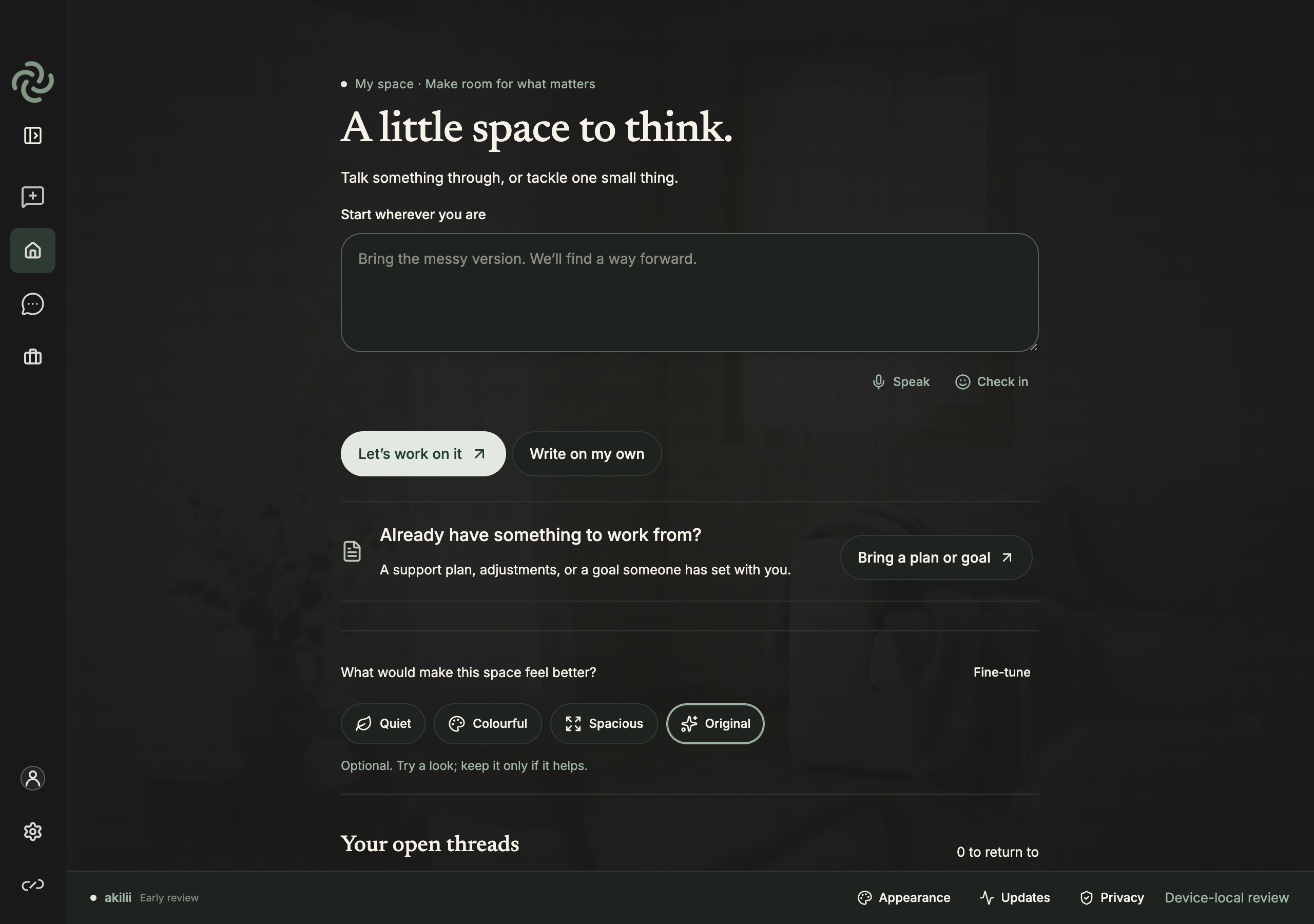
Made for everyday moments
At your desk, between commitments, or making room for a new idea. Start with what matters to you.

Explore actual, unaltered application screenshots below. Availability differs between the connected web prototype and the downloadable local review.
From conversation to something useful
akilii is FullSpektrum’s first flagship personal-support product. Chat is the starting point; the aim is a useful outcome you can act on.
Bring a question, a task or an unfinished thought. The connected prototype can help shape a draft or a manageable plan.
Steps, checklists and comparisons keep the response usable. Dedicated visual branches can generate an image or an editable mind map.
Change the wording, check the proposal and decide what to keep. Spaces and projects give different parts of life a place.
AI generation belongs to the connected research prototype and requires sign-in, consent and available allowance. The desktop review currently supports local writing and organisation.

Support that helps you move forward
akilii’s connected prototype uses coordinated AI capabilities to help turn a conversation into a draft, a plan or a useful visual. You stay in charge of what happens next.
Start with your own words. Work through the question together and correct anything that doesn’t fit.
Shape a next step, explore an idea or organise a draft. Choose a presentation that makes the work easier to approach.
Review suggestions, edit the work and decide what to save. Help should give you more agency over the outcome.
Different AI capabilities can work together behind one akilii conversation. The prototype coordinates those capabilities within defined limits, rather than giving them unrestricted authority. AI suggestions can be wrong and remain yours to review.
These capabilities belong to the connected research prototype. The desktop download is currently a local workspace review. Availability and limitations are explained beside each access option below.
The idea behind the intelligence
FullSpektrum’s neuropsychography research explores how relevant context—someone’s goals, preferences, circumstances and experience of support—can inform better help in the moment.
Understanding what support fits this person, for this task, in this situation. It is not a diagnosis, a fixed personality label or a claim to read someone’s mind.
Neuropsychographic Registry.
A structured representation of support-relevant context. It separates tentative suggestions from confirmed preferences, retains their source and scope, and lets the person correct what may be reused.
Our research direction: agents help with real Work, propose what seemed useful, ask the person to check it, then use permitted context to adapt the next support approach.
The design brings conversation, governed support context, editable Work, adaptive presentation and bounded specialist capabilities together. A preference should influence useful help without becoming an unquestionable statement about who someone is.
For example, a person may confirm that one next action helps when several commitments compete. That preference can be scoped to planning and corrected later. This is an illustrative explanation, not a claim about a participant.
The current implementation supports explicit, participant-confirmed preferences. The broader framework remains research: validated psychometric dimensions, clinical effectiveness and exclusive ownership of the wider concept are not established. FullSpektrum is developing its own architecture and implementation around this approach.
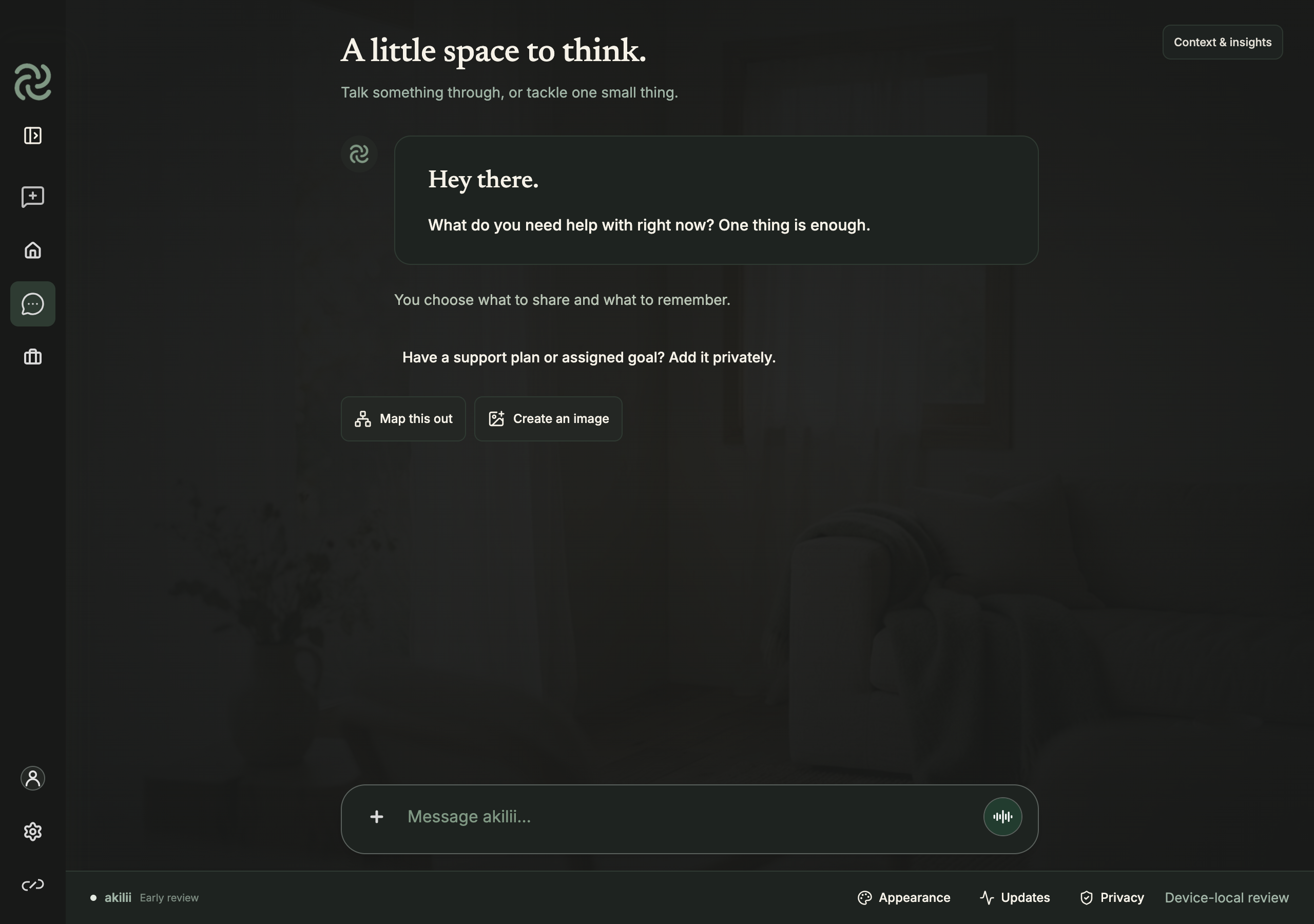
Explore the real interface
Actual captures from a fresh local build. No participant data or invented AI responses.
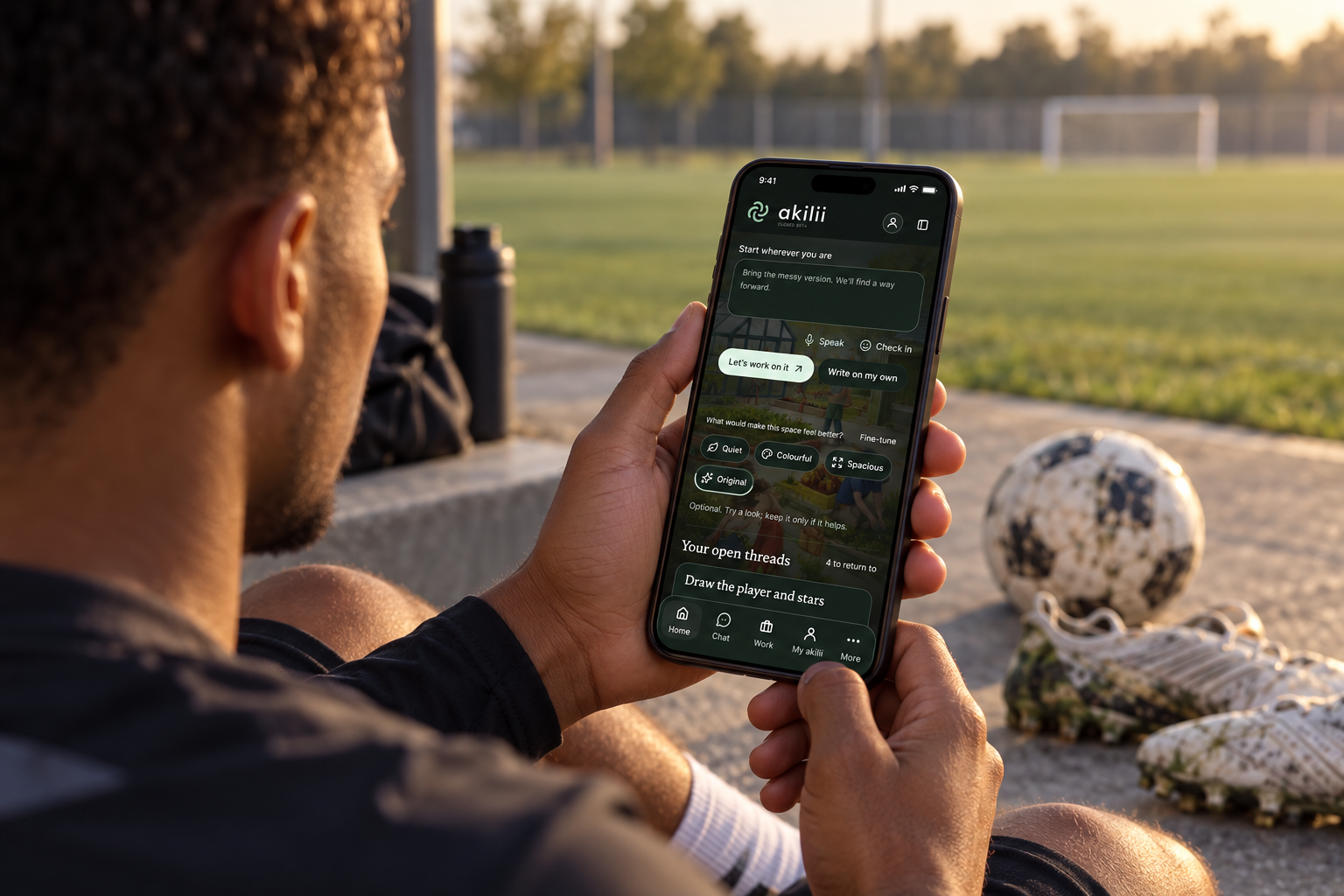
Everyday support intelligence
Explore how the same conversation, planning and reviewed-context foundations could support different purposes. Choose a setting to see a possible journey.
Break an assignment into an outline, a first attempt and a next step. Keep the learner’s own thinking visible.
An editable study plan and a piece of work the learner can explain.
Planning tools now · learner interventions in researchIllustrative use cases, not evidence of sector deployment. The current review is not a child service, clinical service, emergency service or formal assessment. Professional decisions and institutional sharing require their own permissions and validation.
The FullSpektrum vision · 2026–2031
akilii is the personal starting point. The wider ambition connects people with the support around them, with clear permission and accountable human involvement.
Develop the closed beta with participants and lighthouse partners. Strengthen onboarding, governed context, reliability, accessibility and secure access.
Evaluate focused education, work, sport and personal-development pathways. Explore permissioned coordination with FS:Insight and professional support plans.
Develop interoperable personal and institutional support, more capable device experiences and carefully governed assistance across selected sectors.
Indicative direction, not a committed delivery schedule. Each stage depends on research evidence, funding, partner readiness, privacy and safeguarding gates. Wearables, autonomous computer assistance and personal intelligence runtimes are future investigations.
Early review · September 2026
This first package is a hands-on review of the local workspace. It opens fresh and keeps the existing akilii application separate.
Email-based beta entry is available without a ChatGPT account. Verify your email and apply; access to the workspace and funded AI requires approval. End-to-end email verification is undergoing final checks.
 Mac · Intel · soon Mac · Apple silicon · soon
 Windows · x64 · soon
Desktop downloads are being prepared for distribution and are not available here yet. Intel Mac launch tested. Apple silicon and Windows packages await native device verification. Unsigned review builds, not notarised for general distribution. If macOS prevents opening, use the web prototype; do not disable your security protections.
Funded AI, email invitations, connected accounts and research submission are not enabled in the downloadable package. There are no simulated AI answers.
The desktop package does not upload your work. Saved workspace data is device-local and is not encrypted at rest. Encrypted exports are available. Research sharing is a separate choice in the connected prototype. This is not a clinical service.
For lighthouse partners & investors
We’re exploring akilii across work, education, sport and personal development. The next step is a focused pilot: a real need, a clear support outcome, and evidence of what actually helps.
Agree one practical journey with the people who will use it.
People review the understanding, choose what to keep and decide what to share.
Separate functioning capabilities, research questions and future ambitions.
A social purpose at the centre
Different minds.
More ways forward.
Technology should make support easier to access—and leave people with more choice, confidence and control.
Designed with neurodivergent needs in mind.
Starting a task, organising thoughts or navigating a busy interface can take more effort than others realise. akilii is being developed to offer clearer next steps, flexible ways to engage and a workspace people can shape around what helps them.
There is no single neurodivergent experience. We want to learn with people, through the work they choose to do, rather than assume that a label tells us what support they need.
Built for social impact, with communities.
As a community interest company, FullSpektrum’s ambition is to turn responsible AI research into practical, everyday support—especially where people face barriers to learning, participation and independence.
We are seeking community organisations, educators, practitioners and research partners to explore this together. Areas for future co-design include special educational needs and disabilities (SEND), alternative provision, and support for people facing exclusion or heightened vulnerability.
Help shape what useful support should achieve.
A focused social-impact project starts with the people affected: a real need, an agreed support goal and a careful way to evaluate whether the approach helps. We welcome opportunities for lived-experience co-design, accessible user research and appropriately governed pilots.
Explore a community or research partnership ↗These are development and partnership ambitions. This early review is not a validated educational or care intervention, and is not a production service for children. Any work in these settings needs appropriate safeguarding, consent, accessibility evaluation and professional oversight.
AI-generated tablet mockup using a product-screen reference. Illustrative adult-learning scenario, not a validated education intervention.